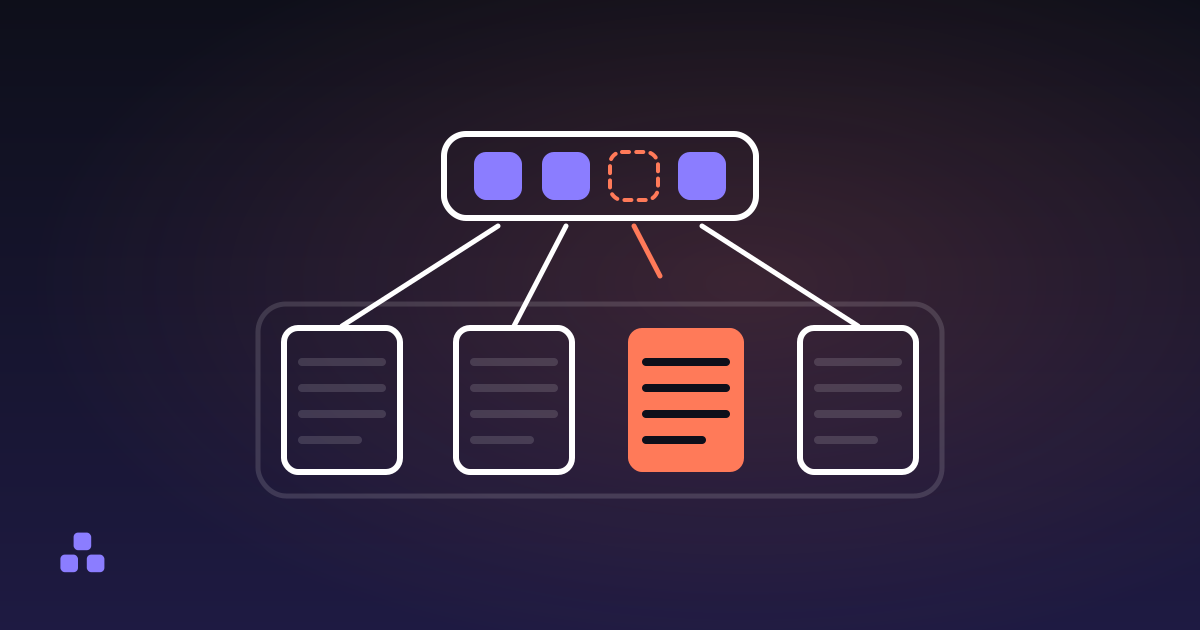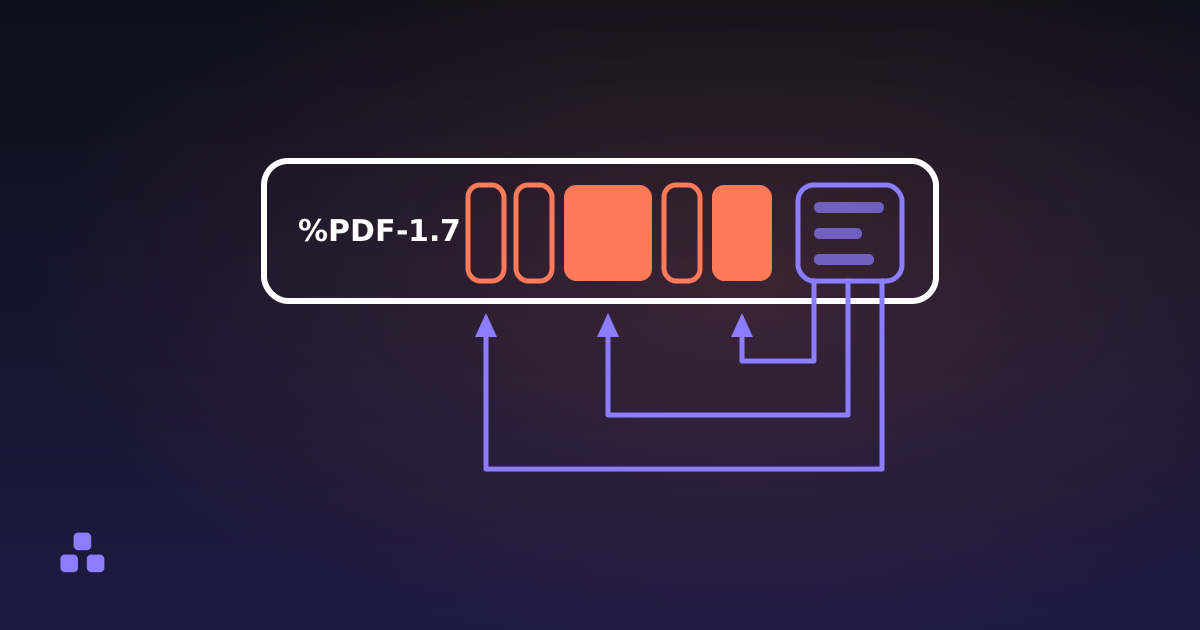
Inside a PDF file is a bag of numbered objects and an index at the end recording the byte offset of each one. The small objects are dictionaries, arrays, names and numbers, plain enough to read in a text editor; the bulky ones are compressed streams holding fonts, images and the drawing instructions for each page. Nothing in it is a picture of a page, and nothing sits in reading order: a reader opens the file from the back, finds the index, walks down the page tree, and only then runs the instructions that paint the page you asked for.
Every PDF has the same four parts, in this order:
- A header. One line,
%PDF-1.7or similar, naming the version. - A body. The numbered objects: the page tree, the fonts, the images, the content streams.
- A cross-reference table. The index, listing the byte offset of every object.
- A trailer. Names the catalog, and is followed by the offset of the table and
%%EOF.
What does an object inside a PDF look like?
Open a PDF in a plain text editor and, under the %PDF-1.7 on the first line, you will find blocks like this one between stretches of binary noise — fewer of them in a recent file, which packs most objects into compressed streams. The one below is a single page:
3 0 obj
<< /Type /Page
   /Parent 2 0 R
   /MediaBox [0 0 595.28 841.89]
   /Rotate 0
   /Resources << /Font << /F1 7 0 R >> >>
   /Contents 4 0 R
>>
endobj
That is object number 3, generation 0. The double angle brackets mark a dictionary, the words starting with a slash are names, and 2 0 R is a reference to another object — this page's parent in the page tree. The page itself holds almost nothing: a sheet size, a rotation, the fonts and images it may use, and a pointer to object 4, where the marks on the paper live. The whole format is built from a handful of types: numbers, strings, names, arrays, dictionaries and streams — a dictionary with a run of bytes stapled to it.
How does a reader find anything in the file?
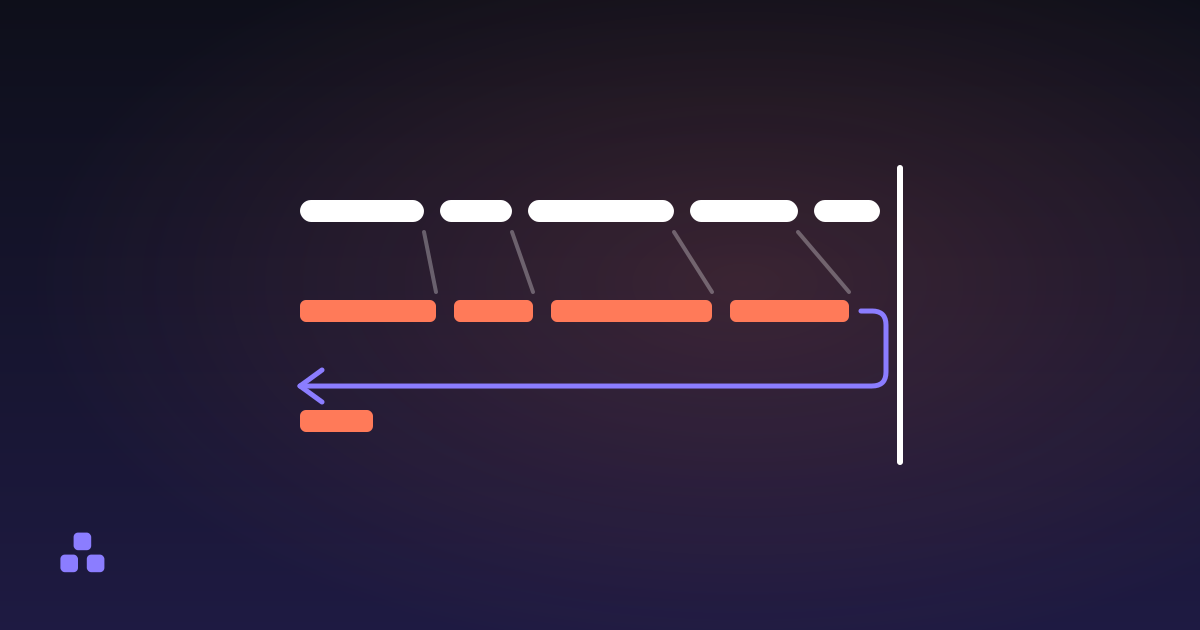
By reading it backwards. The last line is %%EOF, above it sit startxref and a byte offset, and that offset points at the cross-reference table: a list saying object 1 starts at byte 15 and object 2 at byte 178. Beside the table is the trailer, which names the document catalog, the root everything else hangs from. That is why a 900-page manual can open at page 900 without decoding the 899 in front of it. Since PDF 1.5 that index is often a compressed stream rather than a readable table: the same job, with nothing left to read.
It is also the format's weak spot. Those offsets are absolute positions in bytes, so anything that rewrites the file without rewriting the table breaks it — and scanners, form fillers and cheap export libraries get it wrong often enough that every serious reader carries a repair routine. When the table leads nowhere, the reader scans the file for obj headers and rebuilds the index from what it finds. Such a file usually opens fine, and is one careless copy away from not opening at all.
The other thing hiding back there is history. Saving a change does not have to rewrite the file; the writer can append the changed objects to the end with a new table pointing back at the old one. What looks like one document can be four generations of edits stacked up, earlier versions still sitting in the bytes. It is how a file arrives somewhere carrying an earlier draft of itself, and it is why deleting pages from a PDF so they are really gone is a different operation from making them stop appearing.
Where are the pages, and why does each one have its own size?
The catalog points at a page tree: a node with a /Kids array whose children are either more nodes or actual pages. Attributes flow downhill, so a document can state the sheet size once at the top and let every page inherit it — until one page overrides it, which is what happens when a document is assembled from more than one source.
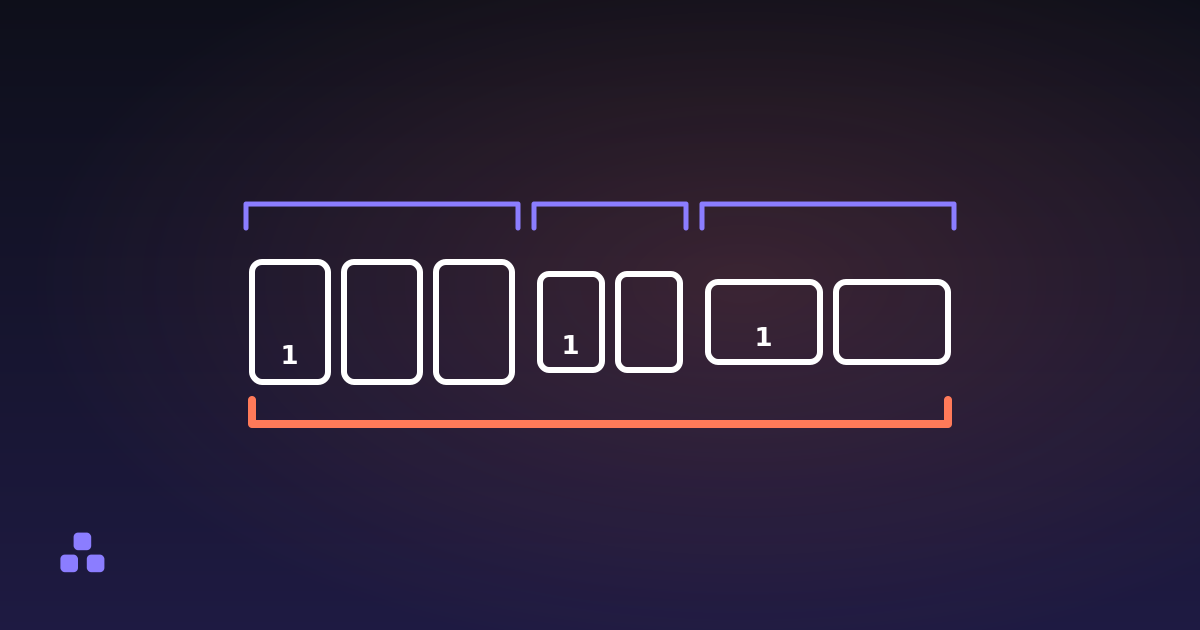
Page geometry is stored in points, at 72 points to the inch, in a /MediaBox array giving the corners of the sheet. A4 comes out as 595.28 × 841.89 because that is what 210 × 297 mm converts to; US Letter is a round 612 × 792. Those numbers are not a hint to the printer, they are the page. One Letter page inside an A4 report prints scaled, shifted or pulled from a different tray, and nothing on screen tells you which page did it. Reading the sizes is the fix: what a PDF says about each of its pages groups them into runs and marks any page whose sheet size does not match the majority, so the seams show up as extra lines.
Two more per-page entries cause trouble out of proportion to their size. /CropBox is the region a viewer displays; when it is smaller than the MediaBox the page looks cropped, but nothing was removed, and the content outside it comes back the moment someone enlarges the box. /Rotate is a single number — any multiple of 90, which readers fold into the four angles that mean anything — applied when the page is displayed rather than baked into the content, which is why turning a PDF so it stays turned is instant even on a 400 MB scan.
What is actually in a content stream?
Instructions, written in postfix order and usually Flate-compressed. Decompressed, a line of text looks roughly like BT /F1 12 Tf 72 720 Td (Hello) Tj ET: begin text, use font F1 at 12 points, move to this coordinate, show these glyphs, end text. There is no paragraph, no line, no reading order and no concept of a word. The file records that a glyph was painted at a position; that you can read a sentence is a side effect of the positions being sensible.
The familiar complaints about PDFs follow from that. Copied text arrives with the columns interleaved, because nothing ever said which column came first. The space between two words is often not a character but a small horizontal move, so a phrase you can see is not always one a search can find. And a black rectangle drawn over a name is one more drawing instruction, painted on top of the text: the text is still in the stream, still selectable, still extractable. Redaction means removing the glyphs, not covering them.
What does the metadata say, and what does it give away?
It lives in two places, and they disagree more often than you would like. The classic Info dictionary carries Title, Author, Subject, Keywords, Creator, Producer and two dates, written in PDF's own date format — D:20240115103000+01'00', which includes the time zone the machine was set to. Most modern files also carry an XMP packet, an XML block stored as a stream of its own, and a title changed in one place but not the other is a routine way to be caught out.
Creator and Producer get confused constantly. Creator is the program the content was authored in: Word, InDesign, a scanner's front end. Producer is the library that wrote the PDF bytes, and it is the more revealing of the two: Acrobat, Ghostscript, a browser's print-to-PDF or somebody's script. The Author field is frequently nothing but the name on the account that saved the file, which is how internal drafts reach clients with a full name attached. All of it is free text set by software, so read it as a claim rather than a fact — and read it before you send the file, not after.
Why does editing a PDF not re-render anything?
Once pages are objects in a tree, the everyday operations stop being edits to a document and become surgery on a graph. Rotating a page changes one number. Deleting one removes an entry from a /Kids array. Splitting means keeping a subset of the pages and the resources they point at, and merging PDFs without uploading them means copying two object graphs into one file, renumbering as you go, and writing a fresh page tree over the top. None of it re-renders anything, which is why these jobs are fast, lossless and perfectly possible in a browser tab.
It also explains the usual disappointment: a merged file is rarely smaller than the sum of its parts, because the same font gets embedded twice, and splitting a 10 MB file rarely gives two 5 MB halves, because both halves drag along resources the whole document shared.
If you want to see any of this in a file you actually have, the PDF inspector on this site reads the page tree, the sizes, the rotation and the metadata in your browser and shows you what the file claims about itself, without uploading it anywhere. Three things it will not do: draw the pages, extract the text or read the XMP block. It reports the classic Info dictionary, so a title that looks empty there can still be sitting in the XML copy.
If the file started life somewhere else, whatever wrote it decided most of the structure you have just read about. What changes when a Word document becomes a PDF covers which of these pieces get written, and which of your formatting does not survive the trip.
Frequently asked questions
What is inside a PDF file?
A header line, a body of numbered objects, a cross-reference table listing the byte offset of each object, and a trailer pointing at the document catalog. The catalog leads to a tree of pages, and each page points at a content stream of drawing instructions plus the fonts and images it uses. None of it is stored as an image of a page or in reading order.
Can you open a PDF in a text editor?
Partly. In an older or lightly compressed file the header, the object dictionaries and the cross-reference table are readable ASCII, so you can see the page sizes and the metadata with any editor. The content streams, fonts and images are compressed binary and come out as noise. Newer files go further and pack most objects, and the index itself, into compressed streams, which leaves very little readable at all.
Why does text copied from a PDF come out jumbled?
Because a PDF stores glyphs at coordinates, not sentences. Nothing in the file records reading order, so a two-column layout has no way to say which column comes first, and the space between words is often a positioning move rather than a space character. Extraction tools guess the order from the geometry, and on a complex layout they guess wrong.
What metadata does a PDF contain?
Title, author, subject, keywords, the creating application, the library that wrote the file, and creation and modification dates with a time zone. Many files carry a second copy of this in an XMP block that can disagree with the first. It is all free text written by software, so treat it as a claim rather than a fact, and check it before you send the file.
Is text hidden under a black box in a PDF really gone?
No. A black box is a drawing instruction painted on top of the text, and the text is still in the content stream underneath it, where any extraction tool will find it. The same goes for a cropped page: a crop box smaller than the sheet hides content without removing it. Real redaction deletes the glyphs from the stream.
Last updated September 21, 2026