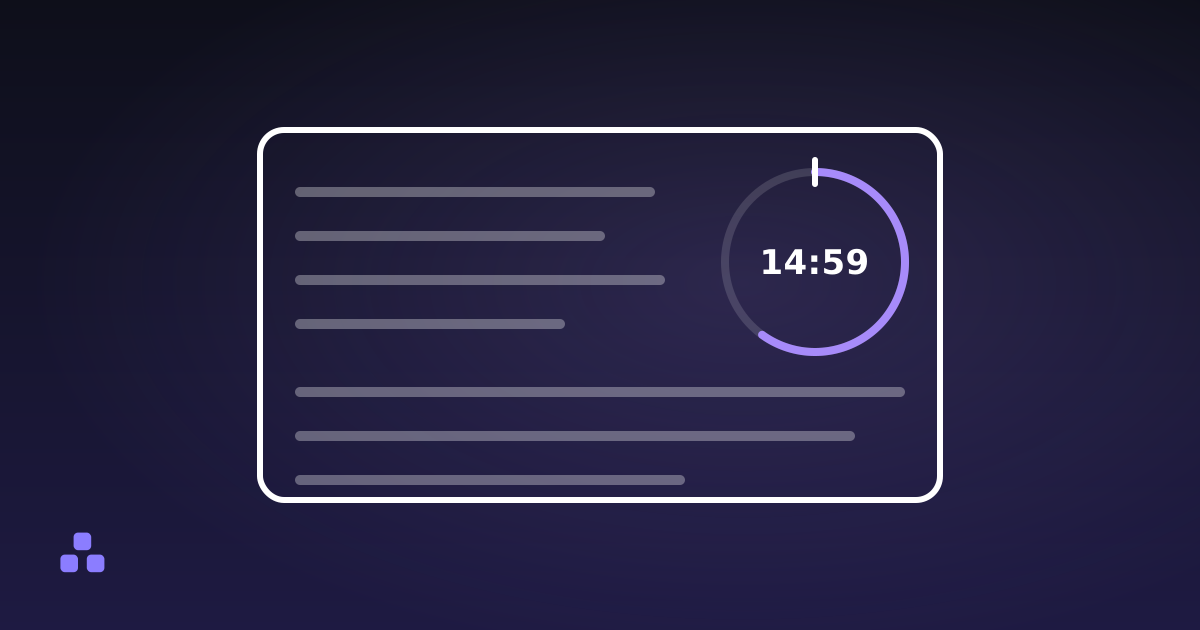
Pick a length, start the timer, and leave it somewhere you can see it. The useful part is not the alarm at the end. It is the number sitting there while you work. A visible countdown turns "I should get on with this" into a block with a known size, and it moves the decision about when to stop to a moment when you were calm and honest about it, rather than the moment you are tired and bored and a chat window has just lit up.
What the number on screen is actually doing
Three separate things, and they are worth separating because only two of them survive contact with a bad day.
It commits you in advance. Starting a 30-minute block is a decision made once. Working "on the report for a while" is a decision you re-make every few minutes, and each re-make is an opening for something else to win. This is the whole mechanism behind timeboxing, and it is the reason the length you pick matters less than the fact that you picked one.
It gives you feedback without a context switch. Glancing at a countdown costs nothing. Checking the clock and doing the subtraction costs a little, and it is enough that you stop doing it, which is how you look up and find that ninety minutes went somewhere. A countdown you can leave running in a tab puts the remaining time in the tab title as well as on the page, so the answer is there whether or not the timer is the window you are looking at.
It schedules a stop. Most people set a timer to make themselves start. The under-appreciated half is that it also makes you finish, before the point where you are re-reading the same paragraph and calling it work.
What a countdown does not do is make you concentrate. It is a constraint, not a motivator, and if you would rather be doing anything else, a number ticking down will not change that. It just makes the avoidance visible sooner.
The Parkinson's law part, honestly
C. Northcote Parkinson's 1955 essay in The Economist gave us the line about work expanding to fill the time available. It is an aphorism, not a finding (he was writing satire about the British civil service), and people quote it as though it were a measured effect. Treat it as a useful description of something you have watched happen: an open-ended task tends to absorb whatever afternoon you give it. A shorter box does not make you faster by magic. It makes you drop the parts that were not load-bearing, which is sometimes exactly right and sometimes how a job gets done badly on purpose.
How long should you set it for?
Match the length to the ramp-up cost of the work, not to a number you read somewhere.
- 45 to 90 minutes for anything where you have to load a lot of context into your head: debugging, writing an argument, a spreadsheet with a shape you have to hold in mind. If it takes ten minutes to get the problem back in view, a 25-minute block spends nearly half of itself on setup.
- 20 to 30 minutes for ordinary work that you already understand and simply have to do.
- 10 minutes when the problem is starting rather than continuing. Ten minutes is too small a commitment to argue with, and you will usually keep going past the alarm.
Be suspicious of your estimate of how long the task needs. Kahneman and Tversky named this the planning fallacy in 1979: people predict their own completion times optimistically even when they have been burned by the same task before. The practical version is that your first guess is a floor, not a range. If you want to know where the time really went rather than where you planned it to go, adding up hours worked without arithmetic errors is a separate and duller skill, and the one that corrects your estimates over a few weeks.
If you want the same block length over and over with breaks built in, that is a structured focus timer rather than a plain countdown, and it keeps a session count for you. The 25/5 split is a default from the late 1980s, not a research result: what the Pomodoro technique does and does not do covers where the evidence stops and the folklore starts.
Why count down instead of up?
A stopwatch tells you what already happened. That is information for later, and it is genuinely useful for billing or for calibrating estimates, but it exerts no pressure while you work: there is no number a stopwatch can reach that means anything.
A countdown has an end built into it. Fifteen minutes left is a fact that changes what you do next: you stop opening new threads and start closing the one you are in. It is also legible at a glance in a way elapsed time is not, because you do not have to remember what you started with to know where you are.
Does it have to be visible?
Mostly, yes. A timer you cannot see is an alarm, and an alarm tells you one thing at one moment. The steady pressure comes from the number being available whenever you glance at it, which is the difference between knowing the block is running and remembering that you started one.
That does not mean it should be in your eyeline. A countdown in the corner of a second screen, or in a tab title where you catch it when you switch windows, is usually better than one filling the middle of the monitor. Staring at a countdown is its own kind of procrastination.
What a countdown will not fix
The timer gets credit for things it cannot do:
- It does not silence anything. Notifications, an open inbox, a phone face-up on the desk: the timer enforces a boundary you already decided on and has no opinion about interruptions. Put the phone away first, then start the timer, in that order.
- The alarm can be late. Browsers deliberately slow timers in tabs you are not looking at, to about once a second, and Chrome can cut them back to roughly once a minute after a tab has been hidden for several minutes. The remaining time stays correct, because a well-built countdown recomputes it from the clock rather than counting its own ticks. The moment the page notices zero is what slips. For short blocks, keep the tab visible.
- A sleeping machine stops everything. Shut the lid and no code runs. The timer will fire the instant it wakes, possibly hours after the fact.
- Nothing survives the tab. A browser timer with no account and no stored state ends when you close or reload the page. That is the trade for a tool that keeps your data on your machine, and it makes your phone the better choice for anything you need to outlive a browser restart.
Counting down to a deadline rather than a block
The other use is the opposite scale: not thirty minutes of work but the eleven days until something ships. A countdown to a date and time does something a calendar entry does not: it converts a date, which is abstract, into a quantity that visibly shrinks. Two weeks out that is mildly interesting. Two days out it is the reason the thing gets finished.
One caveat that bites people: a browser countdown reads the target in your device's own time zone. "Friday at 17:00" means Friday at five where you are sitting, not where the client is. Convert the time into your own zone before you enter it, or you will be an hour out twice a year.
The countdown timer here does both jobs, with quick-set buttons for a work block and a date mode for a deadline weeks away, and it keeps the remaining time in the tab title so you do not have to keep the window in front of you. It runs entirely in the browser, which also means closing the tab ends it.
If what you need is the number of days rather than a live countdown, counting the days between two dates explains why two people can get answers one day apart from the same pair of dates, and which one your deadline means.
Frequently asked questions
Does a countdown timer actually help you focus?
It helps by removing decisions, not by generating willpower. Setting a block commits you once instead of re-deciding every few minutes, and it schedules a stop before you reach the point of diminishing returns. It does nothing about notifications, an open inbox or a phone on the desk.
How long should I set a focus timer for?
Match it to how long the work takes to get back into your head. Anything with a long ramp-up, like debugging or writing an argument, suits blocks of 45 to 90 minutes. Routine work fits 20 to 30 minutes, and when the problem is starting at all, 10 minutes is short enough that you will not argue with it.
Is a countdown better than a stopwatch for working?
For working, yes, because a countdown has an end built into it and changes what you do as it shrinks. A stopwatch measures what already happened, which is the right tool for billing or for checking your estimates against reality, but it applies no pressure while you work.
Does an online timer keep running in a background tab?
The countdown stays correct if it works out the remaining time from your device clock rather than subtracting a second per tick. The alarm is the unreliable part: browsers throttle hidden tabs to about once a second, and Chrome can go to roughly once a minute after several minutes hidden, so the sound can arrive late.
Will a browser timer keep running if I close the tab?
No. A timer that stores nothing and asks for no notification permission ends when the page does, including on a reload. Use your phone or your operating system for anything that has to survive a closed browser.
Last updated September 19, 2026