To count the days between two dates by hand: turn each date into its day number within its year, subtract, then add 365 for every whole year in between, or 366 for any stretch containing a 29 February. From 19 March to 25 December in the same year that is day 359 minus day 78, or 281 days. The complication is that "how many days" has two defensible answers, one day apart, and nothing in the question tells you which one you want.
Do you want the gap, or the number of dates?
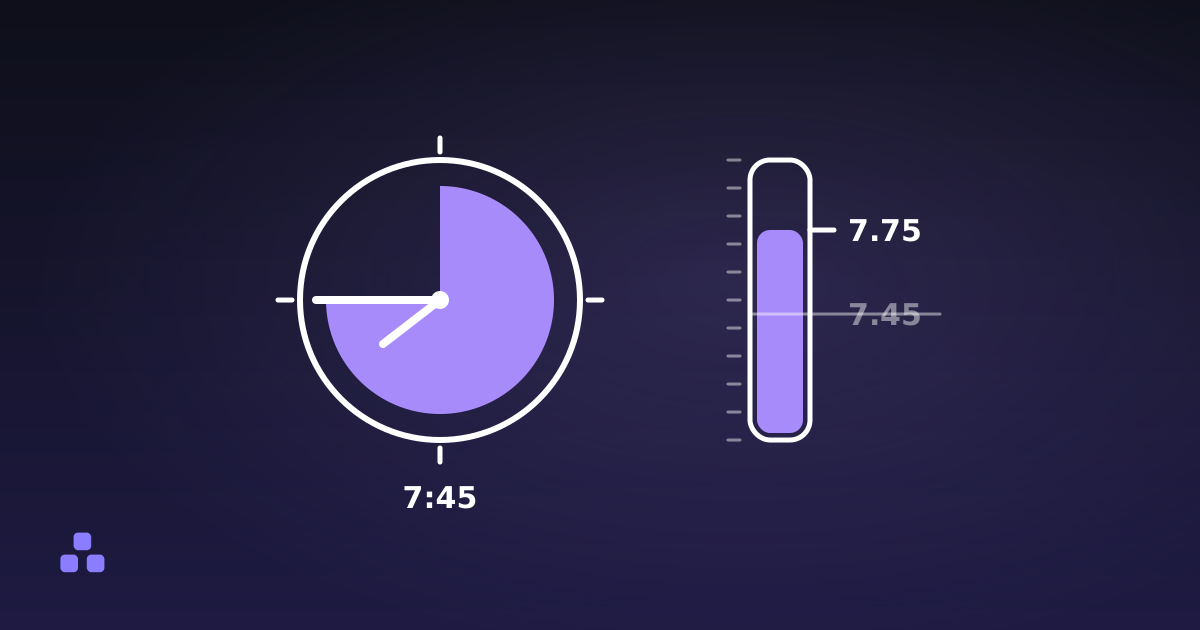
Between 1 March and 3 March there are two days, if you are counting the gaps. There are three dates, if you are counting squares on a calendar. Both get used constantly, often in the same week:
- A hotel charges you for two nights. Gaps.
- A conference running 1 to 3 March lasts three days. Dates.
- A letter giving you "14 days to respond" means the deadline is 14 days after the letter. Gaps.
- Annual leave booked 1 to 3 March costs you three days of it. Dates.
This is the fencepost problem (a fence 10 m long with a post every metre has eleven posts, not ten) and it is the most common reason two date calculators disagree about the same pair of dates. The date difference calculator here has a switch for it, and flipping the switch moves every figure at once: total days, weeks, working days, the lot. Plenty of tools apply the inclusive rule to the headline total and forget it in the breakdown, so the parts stop adding up to the whole.
When you pass the number to somebody else, say which one you meant. "281 days" and "281 days counting both ends" are different facts, and only one of them is going to match what the other person calculates.
How to count it by hand
The reliable method never counts days one at a time. It converts both dates to a day-of-year number using the running total of days before each month:
| Month | Days before it | Month | Days before it |
|---|---|---|---|
| January | 0 | July | 181 |
| February | 31 | August | 212 |
| March | 59 | September | 243 |
| April | 90 | October | 273 |
| May | 120 | November | 304 |
| June | 151 | December | 334 |
In a leap year, add 1 to every figure from March onwards.
Both dates in the same year
Day number equals the month's figure plus the day of the month. 19 March is 59 + 19 = 78. 25 December is 334 + 25 = 359. Subtract, and the gap is 281 days.
Crossing a year boundary
Three pieces: what is left of the first year, 365 or 366 for each whole year in between, and the day number of the end date. From 1 November 2026 to 1 March 2027, that is 365 − 305 = 60 days left in 2026, no whole years in between, plus day 60 for 1 March 2027. Total: 120 days.
Turning the answer into weeks
Divide by 7. The quotient is whole weeks and the remainder is the odd days: 281 ÷ 7 is 40 weeks and 1 day. That remainder is also why calendars drift. A common year is 52 weeks plus one day, so any given date lands one weekday later next year, or two later if a 29 February falls in between.
How many of those are working days?
Same arithmetic with one extra step. Multiply the whole weeks by the number of working days in your week, then walk the leftover days forward from the start weekday.
19 March 2026 is a Thursday. Forty whole weeks give 40 × 5 = 200 working days on a Monday-to-Friday week, and the single leftover day is a Thursday, which counts. So 201 working days, and 80 weekend days.
Two things that calculation cannot know unless you tell it. The first is your working week: Monday to Friday covers most of the world, but much of the Middle East works Sunday to Thursday, and plenty of trades work six days. The second is public holidays, and this is where nearly every online business-day calculator lies to you without saying so. Holidays depend on the country, often on the region inside it, and sometimes on the sector. A tool that guesses and gets a regional holiday wrong is worse than one that leaves them out and says so. Count the weekdays, then subtract the holidays by hand from your official list. That stays correct everywhere.
Why the years-months-days figure is a convention, not a fact
You can add up total days and get one answer that nobody can argue with. "3 years, 2 months and 17 days" is not like that, because months do not have a fixed length, so the result depends on which month you borrow from.
Take 31 January to 1 March. Add one whole month to 31 January and you land on 28 February, because 31 February does not exist and the sensible thing is to clamp to the end of the month. That leaves one day over: 1 month and 1 day. A calculator that instead subtracts the day numbers and borrows 31 days from January gets a different answer on the same pair. Neither is wrong, which is exactly the problem.
So: if the duration is going into a contract, an invoice or a dispute, quote the total number of days. Use the years-months-days form for talking to humans. The one place the convention barely matters is a birthday, where the anchor date is fixed and everyone borrows the same way. That is what an age calculator is doing, and the arithmetic behind an exact age is the same machinery pointed at one end of the span instead of two.
What spreadsheets get right, and one thing they get wrong
In Excel and Google Sheets, dates are numbers, so subtracting one cell from another gives you the day count directly. Format the result as a number, not a date, or you will get a date in 1900 and wonder what happened. That subtraction gives you the gap, not the inclusive count.
NETWORKDAYS(start, end, holidays) counts Monday-to-Friday workdays and takes an optional range of holiday dates, which is the honest way to do holidays. Note that it counts inclusively (both the start and the end date, if they are workdays) so it deliberately disagrees with plain subtraction. NETWORKDAYS.INTL adds a weekend-pattern argument for non-Western working weeks. DATEDIF gives the years-months-days breakdown, though Microsoft's own documentation warns that its "MD" option can return a negative number, which tells you roughly how much to trust it.
The thing they get wrong: Excel's date system includes 29 February 1900, a day that never existed. It is a compatibility choice inherited from Lotus 1-2-3, and any span starting before 1 March 1900 comes out a day too long. If you are counting days for genealogy or historical records, do not do it in a spreadsheet.
Three things that break a day count without warning
Daylight saving. Subtracting two local timestamps and dividing by 86,400,000 is the obvious approach and it is subtly broken. Wherever clocks change, one day of the year is 23 hours long and another is 25. A 30-day span crossing a spring-forward date comes out as 29.958 days. Rounding hides it right up until the moment it does not. Working in UTC midnight, where no clock change exists, removes the problem entirely. Leap seconds, for once, are not something to worry about: Unix time is defined as exactly 86,400 seconds per day and skips them.
Reversed dates. An end date earlier than the start date should produce a negative number or a clear warning, not a silent absolute value. If you are counting down to a deadline, "17 days" when the real answer is "−17 days" is the most expensive rounding error on this page.
The calendar switch. Every modern calculator uses the proleptic Gregorian calendar: today's rules, extended backwards forever. History did not cooperate. Britain and its colonies switched from the Julian calendar in September 1752 and deleted eleven days to do it, so 2 September was followed directly by 14 September. Russia switched in 1918 and deleted thirteen. For anything in the last couple of centuries in most of the world this changes nothing. For old parish records, it means the number you calculate is not the number of days anyone lived through.
The date difference calculator gives you all four readings at once (total days, weeks and days, years-months-days, and a working-day count where you pick which weekdays count) with the inclusive switch applied consistently across every one of them. It runs in your browser, so the dates you type stay on your machine.
If what you are really doing is adding up a timesheet rather than measuring a span, the off-by-one problem turns into an off-by-fifteen-minutes problem. Adding up hours worked without errors covers the rounding conventions that decide whether a week of work comes out at 39 hours or 41.
Frequently asked questions
How many days are there between two dates?
Convert each date to its day number within its year, subtract, and add 365 days for every whole year in between (366 for any year with a 29 February inside the span). From 19 March to 25 December in the same year, that is 359 minus 78, or 281 days. Add one more if you want to count both end dates rather than the gap between them.
Should the end date be included when counting days?
It depends on what you are counting, and it changes the answer by one. Count the gap for deadlines, notice periods and hotel nights. Count both dates for anything measured in calendar squares, such as booked leave or the length of an event. Whichever you use, state it when you pass the number on.
How do I count business days between two dates?
Divide the total days by 7, multiply the whole weeks by the number of working days in your week, then walk the remaining days forward from the start weekday and count the ones that qualify. Subtract public holidays separately from your own national or regional list, because no general calculator knows them reliably.
Why do two date calculators give different answers?
Almost always one of two reasons. Either one includes the end date and the other does not, a difference of exactly one day. Or they disagree on the years-months-days breakdown, because months vary in length and each tool borrows from a different month when the day numbers do not divide cleanly. The total day count is the figure they should agree on.
How many days are in a year for this calculation?
Use 365, or 366 when the span contains a 29 February. A year is a leap year if it divides by 4, except century years, which must divide by 400. That makes 2000 a leap year and leaves 1900 and 2100 out. Never use 365.25 as an approximation for a specific span; it is a long-run average and will be wrong for any individual pair of dates.
How do I calculate days between dates in Excel?
Subtract one date cell from the other and format the result as a number, which gives the gap rather than an inclusive count. Use NETWORKDAYS with an optional holidays range for business days, remembering that it counts both endpoints. Avoid Excel for dates before March 1900, because its date system wrongly includes 29 February 1900 and every span crossing it is a day too long.
Last updated September 19, 2026