JSON fails to parse because something in the text is not in the grammar, and the usual suspects are a trailing comma, single quotes, an unquoted key, a comment, or an invisible byte order mark at the very start. The error message names the character where the parser gave up. That character is at the mistake or just after it, never before it, because a parser reads left to right and everything it passed was still valid.
The messages below come from Node 22, which uses the same JavaScript engine as Chrome. Firefox and Safari word them differently, so treat the exact text as an example and the position as the useful part.
What does the error say for each mistake, and where does it point?
| What you wrote | What the message says | Where it points |
|---|---|---|
{"a":1,} | Expected double-quoted property name | The closing brace, one character after the comma |
[1,2,] | Unexpected token ']' | The closing bracket, with no position at all |
{'a':1} or {a:1} | Expected property name or '}' | The first character of the key |
{"a":1 // note} | Expected ',' or '}' after property value | The first slash |
| A file saved with a byte order mark | Unexpected token, shown as an empty-looking pair of quotes | The first character, with no position |
The location is usually honest. The wording is the part that misleads, because the parser describes what it expected, not what you meant.
Why does a trailing comma get blamed on the bracket?
After a comma, the grammar requires another value or member. When the parser meets } or ] instead, that is where it stops. The comma it accepted a moment earlier was fine as far as it knew, so the report lands on the closing character and the mistake is the character before it.
The message differs by container. In an object it says it expected a double-quoted property name. In an array it says only that the bracket was unexpected, and in that case the formatter here shows the message without a line and column, because the message has no position to read. Look for a comma immediately before the first closing bracket or brace you can find near where the file starts to go wrong.
Trailing commas are legal in JavaScript, which is why they get written. They are not legal JSON, and no strict parser accepts them.
Why do single quotes and bare keys give the same message?
Both break the same rule: an object key must be a string in double quotes. A key in single quotes and a key with no quotes at all both start with a character the parser did not expect at that position, so it reports the same thing. The message says it expected a property name, which sounds absurd when you can see one right there.
The fix is mechanical for keys and risky for values. A single-quoted value gets a different message again (an unexpected token, with no position in Chrome), and a global find and replace of ' with " will wreck any string that contains an apostrophe. Fix the keys first, then the values by eye. If the text came from a Python print or a JavaScript object literal, serialise it properly at the source instead.
Why does a comment say it expected a comma?
A value just ended, so the parser is looking for a comma or a closing brace. It finds a slash and reports that, without saying anything about comments. The position is exact: it points at the first slash of the comment.
The format has no comment syntax at all because it was removed on purpose. Why JSON has no comments covers who removed them and which config files read a looser dialect anyway. The practical test is that tsconfig.json tolerates comments and package.json does not, so the file extension tells you nothing.
Why does a file that looks fine fail on its first character?
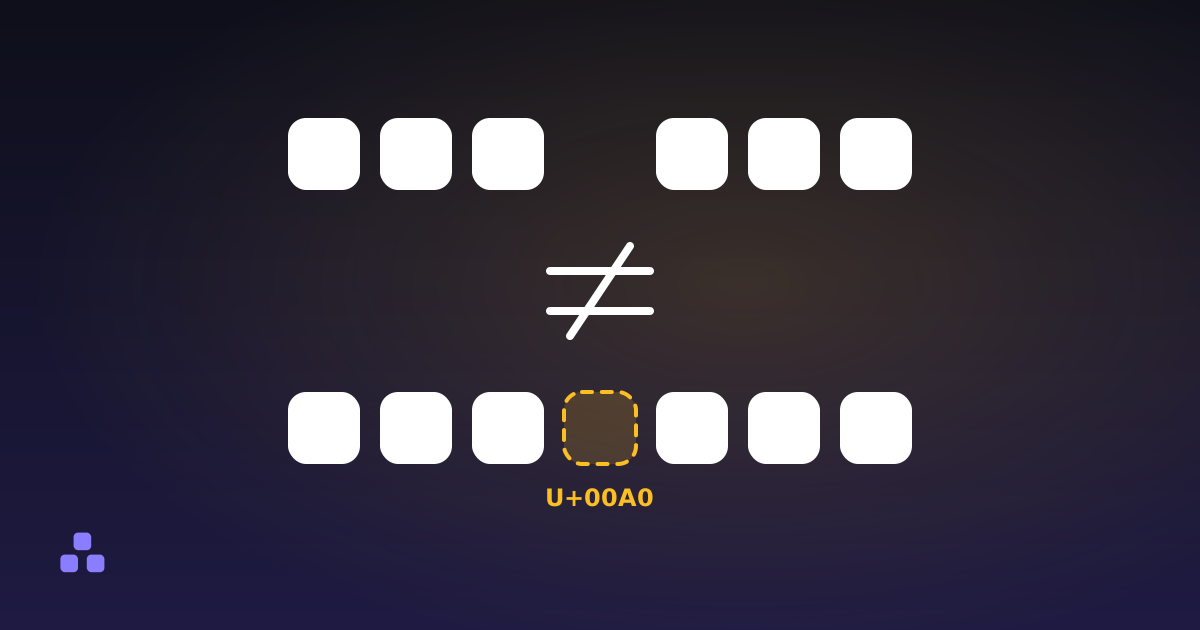
A byte order mark is the character U+FEFF at the start of a file, written by some editors when they save as "UTF-8 with BOM". It renders as nothing, so the file looks perfect, and the parser sees a character that is not whitespace and not a value. RFC 8259 says generators must not add one to JSON sent over a network and that a parser may ignore one rather than treat it as an error. Chrome's JSON.parse does not ignore it.
The giveaway is the message: an unexpected token followed by a pair of quotes with nothing visible between them, and no position. If you see that, the problem is not in the text you can read. Delete the first character, or re-save the file as plain UTF-8 without a BOM.
The same family of problem covers a non-breaking space after the last brace, which comes back as "unexpected non-whitespace character after JSON", and curly quotes pasted from a document. Invisible characters in text shows how to find the first kind, and why text pasted from Word goes wrong covers the second.
How do you find the mistake when the message does not help?
Paste the text into the JSON formatter. When the browser's message includes a position, the tool converts it to a line and column, which is far easier to act on than a character offset. Fix that one, paste again, and expect a different error: the parser only ever reports the first problem, so a file with six mistakes takes six rounds.
If the file is large, minified, or the message has no position, cut it in half:
- Keep everything up to a point where one complete member or array element has just ended. Delete the rest.
- Close the open brackets and braces by hand.
- If it parses, the fault is in the half you removed. If it still fails, it is in the half you kept, and you cut that one again.
Each round halves the search, so a file of a few thousand records takes about a dozen tries. For a top-level array of records it is faster still to delete records from the end until the error goes away. The first record that brings it back is the culprit. The minified JSON guide has the column-counting version for a file that is all on one line.
What can the formatter not tell you?
It tells you the file is not valid JSON and, when the browser supplies a position, where it stopped. It does not suggest a fix and it does not repair anything. It also cannot tell a mistake in your data from a file that was never JSON: JSON5, JSONC and one-object-per-line logs all fail the same way, as the formatter's own notes say. The wording and the presence of a position depend on the browser you run it in, so the same input can give a slightly different message elsewhere.
Everything runs in the tab. The text is not uploaded, which matters when the file is a config with a token in it.
When the error is a position you cannot make sense of, the JSON formatter turns it into a line and a column and runs entirely in your browser, so a config with credentials in it stays on your machine.
If the cause turned out to be a comment you were sure should be allowed, why JSON has no comments explains the history and what to use instead.
Frequently asked questions
Why does JSON.parse say "unexpected token" with no position?
In Chrome-family engines, some errors (a trailing comma in an array, a single-quoted value, NaN, a byte order mark) report only the unexpected token and a copy of the input, with no position. The text is still invalid at or before that token. Work from the start of the text, or cut the input in half until the error disappears.
Is a trailing comma allowed in JSON?
No. The grammar allows a comma only between two values or members, so a comma before a closing bracket or brace is a syntax error in every strict parser. JavaScript object literals and some dialects such as JSON5 accept it, which is why it gets written so often by mistake.
Why does my JSON file fail when it looks completely valid?
Check for characters you cannot see. A byte order mark at the start of the file, a non-breaking space, or curly quotes pasted from a document all look like valid text and fail the parse. Re-saving as plain UTF-8 without a BOM and retyping the suspect characters usually fixes it.
How do I find the error in a very large JSON file?
Fix the first reported error and parse again, since a parser stops at the first problem. If the position is unusable, cut the file at a complete record, close the brackets, and test each half. The half that fails contains the fault, and repeating the cut narrows it down quickly.
Does a byte order mark make JSON invalid?
RFC 8259 says a JSON text sent over a network must not start with one, and that a parser may ignore it rather than treat it as an error. May means some do and some do not, and Chrome’s JSON.parse rejects it. The safe choice is a file without one.
Last updated November 4, 2026