VAT Calculator: Add or Remove VAT at Any Rate
Type an amount, say whether VAT is already inside it, and read the three numbers an invoice needs. Removing VAT is not the same as subtracting the rate, which is where most hand-done VAT goes wrong.
Currency symbols are ignored. Any currency works — this is arithmetic, not conversion.
Decimals are fine. Switzerland runs on 8.1, Finland on 25.5.
Standard rates only. Reduced and zero rates exist almost everywhere.
Rates change, sometimes in the middle of a year, and the rate that applies depends on what you are selling and where the customer is. Treat the presets as a starting point and confirm with your own tax authority before you invoice.
Adding VAT and removing VAT are not mirror images
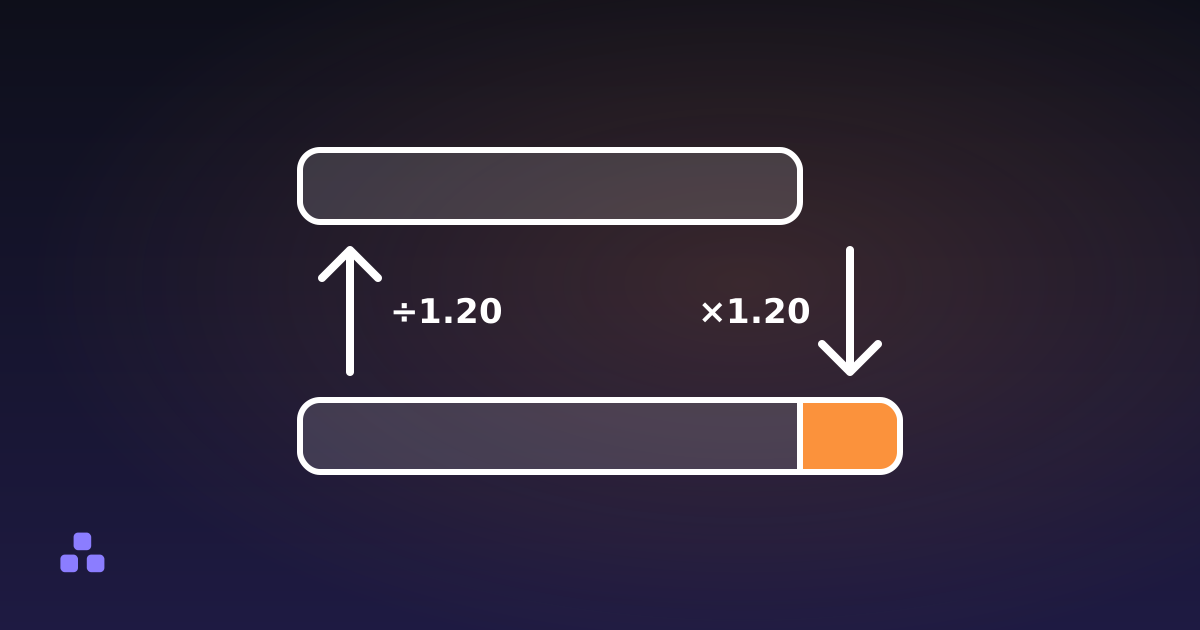
Adding is straightforward. Net price times 1 + rate: 100 at 20% becomes 120.
Removing is where people go wrong, because the instinct is to subtract the rate. Take 20% off a gross price of 120 and you get 96. The correct net is 100. The error is that the 20% was calculated on the net price, not on the gross, so you have to divide by 1.20 rather than multiply by 0.80.
The gap is not small. On a gross price of 100 at 20% VAT, the real net is 83.33 and the VAT is 16.67. Subtracting 20% would tell you 80 and 20. Every line of that invoice is wrong, and the error grows with the rate.
VAT fractions, for checking by eye
The share of a gross price that is VAT is rate ÷ (100 + rate). At a few common rates that reduces to something memorable:
- 20% — the VAT is 1/6 of the gross. Divide by six.
- 25% — 1/5 of the gross.
- 5% — 1/21 of the gross.
- 21% — 21/121, which does not simplify. Most rates do not.
These are worth knowing because they let you sanity-check a number in your head before you send it to an accountant.
Rounding, and why invoices get rejected over a cent
VAT is charged to two decimal places, which means somebody has to round. The question is when. Round the VAT on each line and add the lines up, and you can land a cent or two away from the answer you get by summing the net values first and taking VAT on the total. Neither is a mistake. They are different methods, and a purchase-order system that reconciles totals automatically will reject the invoice if you mixed them.
Pick one approach, use it everywhere, and check what your customer's system expects for high-volume invoices. When this tool shows a note about a one-cent gap, that is exactly this effect, made visible rather than hidden.
A related trap: money should never be stored as a floating point number. This calculator rounds carefully — it pulls each scaled value back to fifteen significant digits before rounding, so half-cent values round up rather than silently down — but accounting software stores amounts as whole cents as integers for a reason.
Zero-rated is not the same as exempt
Both mean the customer pays no VAT, and they are very different for the seller. Zero-rated supplies are taxable at 0%, so the business can still reclaim the VAT it paid on its own costs. Exempt supplies are outside the system, so that input VAT cannot be reclaimed and becomes a real cost. If you are choosing which box to tick, this is the distinction that matters financially.
What this tool does not do
- It does not know your rate. Reduced rates for food, books, children's clothing, energy and transport are common and differ by country and by product. The presets are standard rates only, and rates move — Switzerland went to 8.1% in 2024, Finland to 25.5% in the same period. Check the current figure before it goes on paper.
- It does not handle cross-border rules. No reverse charge, no place-of-supply logic, no distance-selling thresholds, no OSS returns. If you are selling B2B into another EU country, the amount of VAT you charge is frequently zero and this calculator cannot tell you that.
- It is not a sales tax calculator. US sales tax is a different mechanism: it is added at the till rather than built into the shelf price, it applies once at retail rather than at each stage, and the rate depends on state, county and sometimes city. The "remove tax" direction rarely applies because the tax was never inside the price.
- It handles one line at a time. There is no invoice, no multi-line total and no currency conversion.
None of the numbers you type leave the page. There is no upload and nothing is stored, which is the only sensible arrangement for anything touching invoices.
Frequently asked questions
How do I remove VAT from a price?
Divide by 1 plus the rate as a decimal. At 20%, divide the gross price by 1.2. At 23%, divide by 1.23. Do not subtract the percentage — 20% off a gross price of 120 gives 96, but the correct net figure is 100.
How much VAT is inside a price that already includes it?
The VAT is rate ÷ (100 + rate) of the gross. At 20% that is exactly one sixth, so divide by six. At 25% it is one fifth. The tool shows this fraction whenever the rate is a whole number.
Why does net plus VAT sometimes not equal the gross I typed?
Rounding. Each of the three figures is rounded to two decimals independently, so they can disagree by a cent. The tool flags it when it happens. On a real invoice, decide whether you round per line or on the total, and be consistent.
Are the country rates in the dropdown current?
They are standard rates and they were correct when this page was written, but rates change and reduced rates apply to many goods. Treat the list as a convenience, not as authority — verify against your tax authority before invoicing.
Can I use this for US sales tax?
For adding tax to a price, the arithmetic is the same. For removing it, usually not: US sales tax is added at the till rather than included in the advertised price, so there is nothing to strip out. Rates also vary by city, which no simple calculator can resolve.
Last updated September 19, 2026
Keep reading
 Calculators
How to Calculate VAT: Adding It and Stripping It Out
Adding VAT is one multiplication. Removing it is where people reach for the wrong arithmetic and end up with an invoice that is wrong on every line.
Read Calculators
How to Calculate a Discount in Your Head
Multiply by what is left, not by what comes off. The mental version, plus the two cases where the obvious arithmetic gives the wrong answer.
Read